Best AI Customer Analytics Tools in 2026: Amplitude vs Mixpanel vs Heap vs Contentsquare
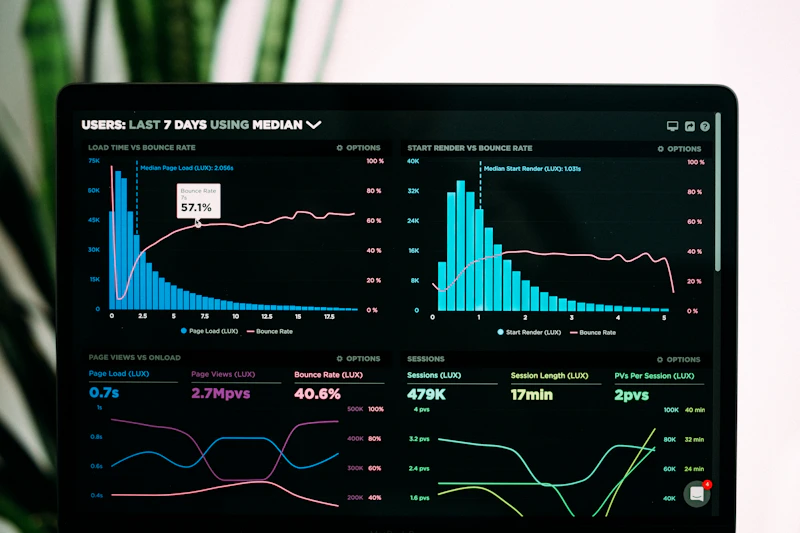
You're watching users drop off somewhere in your funnel, but you don't know where. Your product team has theories, your marketing team has theories, and everyone's looking at the same dashboard that shows page views but nothing useful. That's the problem AI customer analytics tools were built to solve, and in 2026, the gap between the best and worst tools in this category is enormous.
Unlike AI CRM platforms that track deals and contacts, customer analytics tools map how real people actually behave inside your product or on your site. They answer questions like: where do users get stuck, what actions predict whether someone pays or churns, and which acquisition channels bring customers who actually stick around. The four tools covered here (Amplitude, Mixpanel, Heap, and Contentsquare ) each take a different approach to answering those questions.
Quick Comparison: Best AI Customer Analytics Tools in 2026
Amplitude: Best for Product Teams That Need Predictive Intelligence
Amplitude is the most complete AI-powered product analytics platform in 2026, built for teams that need to understand behavior and predict it. Originally a pure event tracking tool, it's now one of the few platforms where you can ask a question in plain English, get a chart in seconds, and have AI tell you which user segments are most likely to convert or churn before it happens.
The standout feature is Predictive Cohorts: Amplitude's ML models score every user on their likelihood to perform a target action (purchase, upgrade, cancel) and let you build audiences around those scores. You can push those audiences directly to ad platforms or email tools for preemptive retention campaigns. Most analytics tools show you what happened; Amplitude increasingly shows you what will happen.
The Ask Amplitude natural language query tool is genuinely useful rather than a demo feature. Ask "what's the conversion rate from signup to first purchase for iOS users in the last 30 days?" and you get a properly constructed funnel chart, not a generic answer. It handles multi-step funnels, retention curves, and user property breakdowns without requiring SQL knowledge.
Pricing
- Starter: Free: up to 10M events/month, unlimited users, core analytics
- Plus: $49/mo: advanced segmentation, behavioral cohorts, predictive features
- Growth / Enterprise: Custom: unlimited events, SSO, dedicated support, SLAs
Best For
Product and growth teams at SaaS companies who need both deep behavioral analysis and predictive capabilities in one platform. Not the right fit for teams focused on website UX or session replay; Amplitude is purpose-built for product events and in-app behavior.
Mixpanel: Best for Lean Teams That Need Fast, Flexible Event Analysis
Mixpanel's strength is speed: you can spin up a funnel, cohort, or retention analysis in under a minute, and the new Spark AI assistant makes that even faster. It's the tool teams reach for when they need answers quickly without writing SQL or waiting for a data analyst.
The event-based architecture means you track specific user actions (button clicks, form completions, purchases) and Mixpanel's query engine lets you slice those events any way you want. The Spark AI assistant (launched in 2025) allows natural language queries across your event data. Ask it "why did signups drop last Tuesday?" and it will cross-reference your event data, surface anomalies, and suggest which events or properties changed around that time.
Mixpanel's anomaly detection runs automatically in the background and surfaces unusual spikes or drops in your key metrics before you notice them manually. The alerts integrate with Slack, so your team gets notified without checking dashboards constantly.
One key limitation: Mixpanel requires you to instrument your events upfront. If you want to analyze something you didn't track at the start, you can't go back and reconstruct it (unlike Heap). This means you need to be intentional about your tracking plan from day one.
Pricing
- Free: Up to 20M events/month, 1-year data history, core reports
- Growth: Starting at $28/mo: longer history, advanced reports, AI features
- Enterprise: Custom: SSO, dedicated support, data governance, SLAs
Best For
Startups and mid-size companies that need fast, self-serve event analytics without a data team. The free tier is genuinely useful for early-stage products tracking up to 20M events. Teams that do have a data team will want the Growth tier for the full AI feature set.
Heap: Best for Retroactive Analysis Without Instrumentation Headaches
Heap solves a specific, frustrating problem: you can't analyze events you didn't think to track. Its auto-capture technology records every user interaction by default: every click, tap, page view, and form submission, which means you can go back and define events retroactively after the fact.
This changes how product analysis works. Instead of saying "I wish we'd tracked that button click six months ago," you can create that event definition today and immediately see six months of historical data for it. For teams with messy tracking histories or frequent product changes, this is a major advantage.
The AI layer, Heap Illuminate, automatically surfaces friction points and drop-off patterns without requiring you to know what to look for. It scans your auto-captured data and surfaces sessions where users struggled (multiple clicks on a non-clickable element, repeated form errors, rage clicks) and quantifies the revenue impact of fixing them. The friction score gives each part of your product a ranking for how much friction users experience, useful for prioritizing what to fix.
Pricing
- Free: Not available for new accounts : Heap is now fully enterprise-oriented
- Paid plans: Custom pricing starting around $3,600/year for smaller teams; contact sales for exact numbers
- Enterprise: Full data warehouse sync, SOC 2 compliance, advanced governance
Best For
Mid-market and enterprise product teams with complex products where retroactive analysis matters. Not a good fit for early-stage startups given the pricing model. Teams that primarily need website analytics rather than in-product analytics may find better value elsewhere.
Contentsquare: Best for UX and Digital Experience Teams
Contentsquare operates in a different zone than the other three tools here. Where Amplitude and Mixpanel focus on event analytics for product teams, Contentsquare is built for digital experience teams, the people responsible for how a website or app feels to users, not just whether they convert.
The platform combines heatmaps, session replay, journey analysis, and zone-based analytics (which content blocks get the most engagement on a page) into one integrated view. The AI layer ties these together: Contentsquare's AI surfaces anomalies in user behavior patterns (a specific page type showing increased rage clicks, for example) and quantifies the revenue impact of experience problems so you can prioritize them against each other.
The AI Impact Quantification feature is particularly powerful for enterprise teams. It attaches a dollar figure to UX problems: "fixing this friction on the checkout page is worth an estimated $420K in recovered revenue annually," which transforms UX work from a subjective discussion into a business case. For teams that need to justify design and engineering investments to finance or executives, this is genuinely valuable.
Contentsquare also integrates with A/B testing platforms, so you can validate whether UX changes actually improved the behavior patterns the heatmaps identified. The AI connects the before/after data automatically.
Pricing
- Trial: Limited free trial available on request
- Paid plans: Custom pricing based on sessions per month, typically $1,000-$5,000+/mo for mid-market
- Enterprise: Negotiated contracts, dedicated CSM, advanced integrations
Best For
E-commerce companies, enterprise digital teams, and any organization where the visual and experiential quality of the website or app directly drives revenue. If your primary concern is why users are dropping off a specific page (rather than inside a product flow), Contentsquare gives you richer data than pure event tools.
Head-to-Head: Feature Comparison
Which AI Customer Analytics Tool Should You Choose?
- ✅ Choose Amplitude if you run a SaaS or app product and need both behavioral analytics and predictive cohorts for retention and conversion work. The free tier is good enough for early-stage products, and the AI features are the most developed in the category.
- ✅ Choose Mixpanel if you need fast self-serve analytics on a budget. The free tier handles 20M events/month, the Spark AI assistant is genuinely useful for quick questions, and the event-based model is intuitive for product and growth teams.
- ✅ Choose Heap if your tracking history is messy or you frequently need to analyze events you didn't instrument from the start. The auto-capture and retroactive analysis capabilities are unique, and Illuminate surfaces problems you didn't know to look for. Budget for enterprise pricing.
- ✅ Choose Contentsquare if your team owns the digital experience layer (website conversion, UX quality, page-level engagement) and you need to attach revenue numbers to your findings to get engineering and design resources prioritized. Best fit for e-commerce and large consumer-facing websites.
Frequently Asked Questions
What's the difference between customer analytics and CRM software?
CRM tools like Salesforce or HubSpot track relationship data: deals, contacts, communication history, and pipeline stages. Customer analytics tools track behavioral data: what users do inside your product or on your website, in what sequence, and with what outcome. You typically use both: CRM for the sales and account management layer, analytics tools for the product and growth layer. For a deeper look at AI CRM tools, check out our comparison of Salesforce Einstein, HubSpot AI, Pipedrive, and Zoho AI.
Can I use these tools for both web and mobile app analytics?
Amplitude, Mixpanel, and Heap all support both web and mobile (iOS and Android) through their SDKs. Contentsquare has stronger web analytics and the mobile experience product is a separate module. If mobile is a primary use case, Amplitude and Mixpanel have the most mature cross-platform support.
How does AI customer analytics differ from traditional analytics platforms like Google Analytics?
Google Analytics is optimized for web traffic and acquisition data, specifically where users came from and which pages they viewed. AI analytics tools like Amplitude and Mixpanel go deeper into product behavior: what specific actions users took, in what sequence, which actions predict retention or churn, and which user segments behave differently. The AI layer adds automatic anomaly detection, predictive scoring, and natural language querying that GA doesn't offer. For teams building digital products, these tools are complements to GA, not replacements.
Is Amplitude or Mixpanel better for early-stage startups?
Both have generous free tiers. Mixpanel's free plan covers 20M events/month with a 1-year data history, which handles most early-stage products. Amplitude's free tier covers 10M events/month with unlimited seats, making it better if you have a larger team sharing dashboards. Mixpanel's event-based model has a slightly lower learning curve for first-time analytics users. Both are solid choices; the decision often comes down to which your team finds more intuitive during a trial.
What should I look for when evaluating an AI customer analytics tool?
The three most important factors are: data model fit (event-based vs auto-capture vs session-based), AI feature maturity (can it actually answer questions in natural language, or is it a marketing label), and integration depth with your stack (does it connect to your data warehouse, CRM, and ad platforms). A free trial with your real data is the only reliable way to test whether a tool's AI features work for your specific use case. For more context on building an AI-powered analytics stack, see our guide to AI business intelligence tools.
Conclusion
If you're trying to understand and improve user behavior in 2026, Amplitude and Mixpanel remain the strongest all-around choices, and both have mature AI features, free tiers, and large ecosystems. Heap wins when retroactive analysis matters more than anything else. Contentsquare is in its own lane for teams where digital experience quality is the primary metric. All four are genuinely useful tools; the right one depends on whether your team is more focused on product events, UX quality, or predictive growth. Bookmark Techno-Pulse for daily AI tool comparisons.
Join the conversation