Best AI Podcasting Tools in 2026: Descript vs Riverside vs Podcastle vs Adobe Podcast
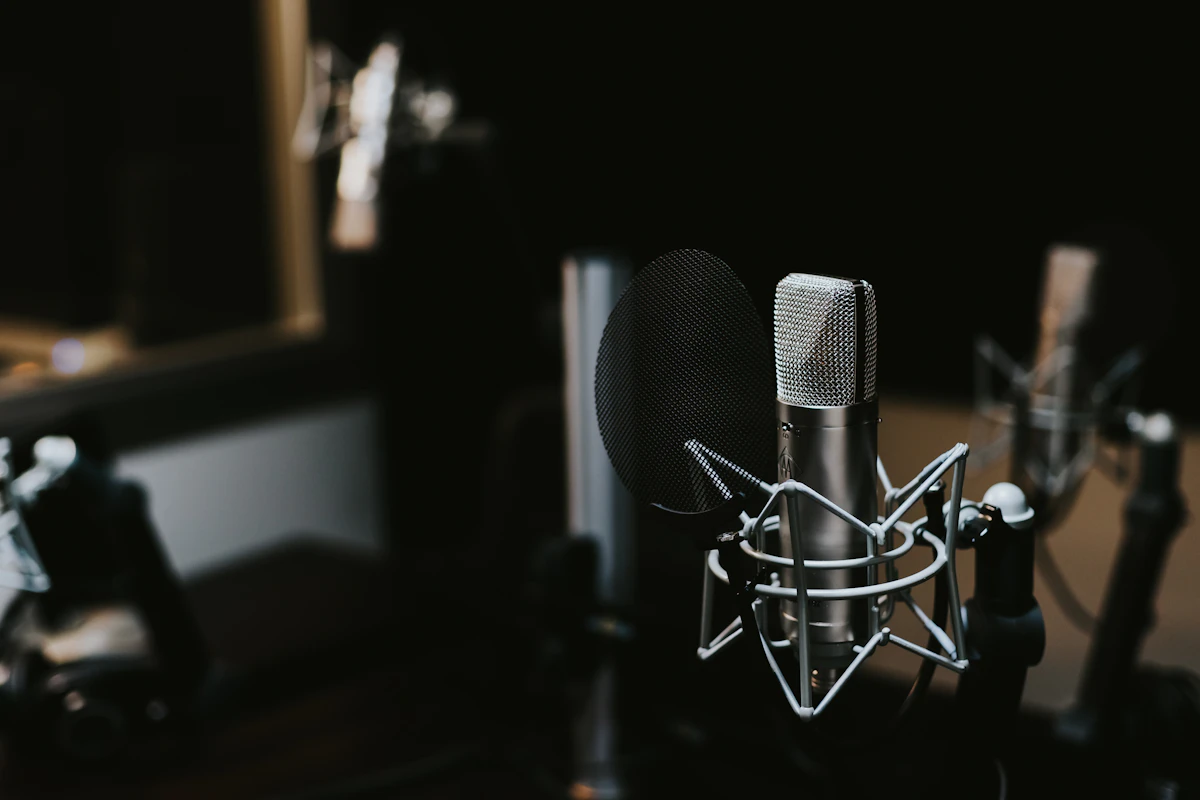
Podcasting used to require a sound engineer, a treated recording booth, and hours of manual editing. In 2026, AI handles most of that automatically: removing filler words, fixing bad audio, generating transcripts, and even cloning your voice for re-recording flubbed lines without another session. Descript, Riverside, Podcastle, and Adobe Podcast each solve a different part of the production problem, and the right choice depends on where your biggest bottleneck actually is.
From first-time podcasters to teams publishing three episodes a week, here's what each platform does best and where each one lets you down.
Quick Comparison: Best AI Podcasting Tools in 2026
| Tool | Best For | Starting Price | Free Plan | Remote Recording |
|---|---|---|---|---|
| Descript | Editing via transcript, repurposing | Free / $24/mo | Yes | Yes |
| Riverside | High-quality remote recording | Free / $19/mo | Yes | Yes (best-in-class) |
| Podcastle | Beginners, all-in-one simplicity | Free / $11.99/mo | Yes | Yes |
| Adobe Podcast | Audio quality enhancement | Free (beta) / CC plans | Yes | Yes |
Descript: Best for Editing and Content Repurposing
Descript invented the idea of editing audio and video by editing a text transcript, and nothing else on the market matches its workflow for podcasters who spend most of their time cutting content rather than fixing audio quality.
Edit Like a Document
Descript transcribes your recording automatically, then lets you edit the audio by editing the text. Delete a sentence in the transcript and the audio cuts out. Highlight a section and overdub it with your voice (using its AI voice clone) without re-recording. Remove every "um," "uh," and "you know" with a single click using the Filler Word Removal tool. For interview podcasts and shows with lots of verbal edits, this is faster than any traditional DAW-based workflow.
The content repurposing tools are where Descript earns its price for high-output teams. It automatically generates audiograms (audio clips with animated waveforms), social clips with captions, and show notes from your transcript. Teams that used to spend a day repurposing one episode now finish in an hour.
Pricing
- Free: 1 hour transcription/mo, watermarked exports, basic editing
- Creator: $24/mo: 10 hours transcription, AI features, Overdub voice cloning
- Business: $40/mo: unlimited transcription, team features, priority support
Where It Falls Short
Descript's remote recording quality is decent but not Riverside's level. If audio fidelity is your top priority rather than editing speed, you'll get better results recording in Riverside and importing into Descript for editing. The AI voice clone (Overdub) requires training on your voice and occasionally sounds slightly off on unusual words or pronunciations.
Best For
Interview podcasters, solo hosts who script their content, content teams that need to repurpose episodes into clips and social posts at scale, and anyone whose biggest time sink is the editing process rather than recording quality.
Riverside: Best for High-Quality Remote Recordings
When recording quality is non-negotiable (you're interviewing guests who can't come to your studio and you refuse to publish audio that sounds like a Zoom call), Riverside is the right tool.
Local Recording, Studio Quality
Riverside's core technical advantage is that it records each participant locally on their device and uploads the high-quality file in the background, rather than recording the compressed stream like Zoom or Google Meet. The result is separate audio and video tracks per participant at up to 4K video and uncompressed 48kHz WAV audio, regardless of the guest's internet connection quality. A guest with a weak WiFi signal still delivers studio-quality audio to your recording.
The 2026 AI Producer feature automatically cuts between speakers, adds lower-thirds with guest names, and produces a ready-to-publish video version of your episode with minimal manual work. For video podcasters publishing to YouTube, this alone saves hours per episode.
Pricing
- Free: 2 hours recording/mo, 720p video, basic editing
- Standard: $19/mo: 5 hours/mo, 4K video, AI tools
- Pro: $29/mo: 15 hours/mo, magic clips, advanced AI editing
- Business: Custom: unlimited recording, dedicated support
Where It Falls Short
Riverside's editing tools are improving but still trail Descript for transcript-based editing. If your workflow involves heavy post-production cuts and repurposing, you'll likely use Riverside for recording and export to Descript or a DAW for editing. That two-tool workflow adds friction, though many professional podcasters consider it worthwhile for the audio quality improvement.
Best For
Interview shows with remote guests, video podcasters publishing to YouTube, and any podcaster whose audience expects professional audio quality and for whom recording fidelity is the primary concern.
Podcastle: Best for Beginners Who Want Everything in One Place
Podcastle makes the fewest assumptions about what you already know, and that makes it the fastest path from "I want to start a podcast" to "my first episode is live."
Record, Edit, Publish: One Tab
Podcastle handles remote recording, AI transcription and editing, audio enhancement, and direct publishing to Spotify, Apple Podcasts, and other platforms without leaving the app. Most competitors require you to record in one tool, edit in another, and upload to a hosting platform separately. For someone launching their first show without a production background, that three-step process creates unnecessary friction and chances to get something wrong.
The Revoice feature clones your voice for re-recording short sections without another recording session. The Magic Dust audio enhancement button applies AI noise reduction, EQ, and level normalization in one click. Neither feature matches the precision of Descript or the quality improvement of Adobe Podcast's Enhance Speech, but both are good enough for most podcasts and require zero technical knowledge to use.
Pricing
- Free: 3 hours recording/mo, basic AI tools, hosting included
- Storyteller: $11.99/mo: 10 hours/mo, unlimited AI features, advanced editing
- Pro: $23.99/mo: unlimited recording, priority support, custom branding
Where It Falls Short
Experienced podcasters will hit Podcastle's ceiling quickly. The editing tools lack the precision of Descript, the recording quality ceiling is below Riverside, and the audio enhancement isn't as dramatic as Adobe Podcast's Enhance Speech. It's a breadth-over-depth tool, and the depth isn't there for professionals who need it.
Best For
First-time podcasters, hobbyist creators, and small businesses launching a podcast as a marketing channel who need a single tool that handles the entire workflow at an accessible price point.
Adobe Podcast: Best for Audio Quality Enhancement
Adobe Podcast's Enhance Speech feature is genuinely extraordinary: it takes audio recorded on a laptop microphone in a noisy room and outputs something that sounds like it was recorded in a professional studio, and it does this in minutes.
Enhance Speech: The Standout Feature
Enhance Speech uses AI trained on professional studio recordings to remove background noise, room echo, and microphone quality artifacts from any audio file. The improvement on mediocre recordings is dramatic enough that it changes what's possible for podcasters without access to professional recording equipment. Guest recordings from home offices, conference call recordings, and phone interviews all come out significantly cleaner.
Adobe Podcast also includes remote recording, AI transcription, and basic editing tools. The recording quality for remote sessions is solid, and the transcript editor works similarly to Descript's, though with fewer AI-powered editing features at this stage of development.
Pricing
- Free (beta): Enhance Speech available free with Adobe account, limited minutes per month
- Creative Cloud: Full Adobe Podcast included with CC subscription ($55/mo)
- Standalone pricing: Expected to be formalized post-beta in 2026
Where It Falls Short
Adobe Podcast is still developing its editing and repurposing feature set. For full podcast production workflows, it's currently best used as a quality enhancement step within a broader toolchain rather than as a standalone production platform. Its pricing clarity also suffers from being mid-transition out of beta.
Best For
Podcasters already in Creative Cloud, shows that regularly feature guests recording in suboptimal environments, and anyone who wants professional-grade audio cleanup without professional recording equipment.
Descript vs Riverside vs Podcastle vs Adobe Podcast: Head-to-Head
| Feature | Descript | Riverside | Podcastle | Adobe Podcast |
|---|---|---|---|---|
| Recording quality | Good | Best-in-class | Good | Good |
| Transcript editing | Best-in-class | Good | Basic | Good |
| Audio enhancement | Good | Good | Basic | Best-in-class |
| Content repurposing | Best-in-class | Good | Basic | Basic |
| Beginner-friendly | Moderate | Moderate | Best-in-class | Moderate |
| Starting price | Free / $24 | Free / $19 | Free / $12 | Free |
Which AI Podcasting Tool Should You Choose?
- ✅ Choose Descript if you spend most of your production time editing and repurposing content, run an interview show with lots of cuts, or need to turn episodes into social clips efficiently.
- ✅ Choose Riverside if recording quality is your top priority, you regularly record remote guests, or you produce a video podcast for YouTube alongside the audio feed.
- ✅ Choose Podcastle if you're launching your first podcast and want one tool that handles everything from recording to publishing without a steep learning curve.
- ✅ Choose Adobe Podcast if you're already in Creative Cloud, or if audio quality enhancement is your primary need, particularly for cleaning up guest recordings made in less-than-ideal environments.
Frequently Asked Questions About AI Podcasting Tools
Can AI remove background noise from podcast recordings?
Yes, and the results are impressive. Adobe Podcast's Enhance Speech and Descript's Studio Sound both remove background noise, room echo, and microphone artifacts effectively. Adobe's version tends to produce cleaner results on severely degraded audio. All four platforms offer some form of noise reduction, though the quality ceiling varies significantly.
Do I need a professional microphone if I use AI audio enhancement?
A decent USB microphone ($50-100) still produces better results than laptop audio even with AI enhancement. AI tools reduce the gap significantly but don't eliminate it. If your show is content-first and your budget is tight, Adobe Podcast's Enhance Speech can make a budget microphone sound acceptable. For anything professional, invest in at least a mid-range USB mic alongside the AI tools.
Which podcasting tool is best for transcription accuracy?
Descript and Riverside both use Whisper-based transcription and deliver high accuracy (95%+) for clear English audio. Podcastle and Adobe Podcast perform comparably on clean recordings but lag slightly on accented speech or technical terminology. All four require manual review for proper nouns, acronyms, and industry jargon.
Can I use multiple podcasting tools together?
Yes, and many professionals do. A common setup: record in Riverside for quality, import into Descript for transcript editing and clip generation, then use Adobe Podcast to enhance any guest audio that was recorded in a noisy environment. The tools are complementary rather than competing for most serious producers.
How long does AI take to process a one-hour podcast episode?
Transcription takes 3-10 minutes for a one-hour episode across all four platforms. Adobe Podcast's Enhance Speech processes at roughly 2x real-time (30 minutes to enhance a one-hour recording). Descript's Studio Sound and Riverside's AI enhancement are faster, typically 5-15 minutes. Processing time has improved significantly in 2026 as these companies moved to larger GPU infrastructure.
Conclusion
The best AI podcasting tool is the one that solves your biggest production bottleneck. If it's editing time, Descript. If it's recording quality, Riverside. If it's getting started, Podcastle. If it's audio enhancement, Adobe Podcast. Many serious podcasters use two of these together, which says more about how specialized each tool is than about any one tool's limitations.
Bookmark Techno-Pulse for daily comparisons of AI tools across every business category. We publish a new review every day.
Join the conversation